
Bidders & Contractors
Upload a PDF Bid Form and verify what it reads
OCR PDF Capture lets you complete the project’s coded submission form, then compare the recognized amounts with the uploaded document. Not all projects use this submission entry method. Some submissions are completed entirely through web forms and file uploads. Follow the submission instructions provided for your project.
See it in action
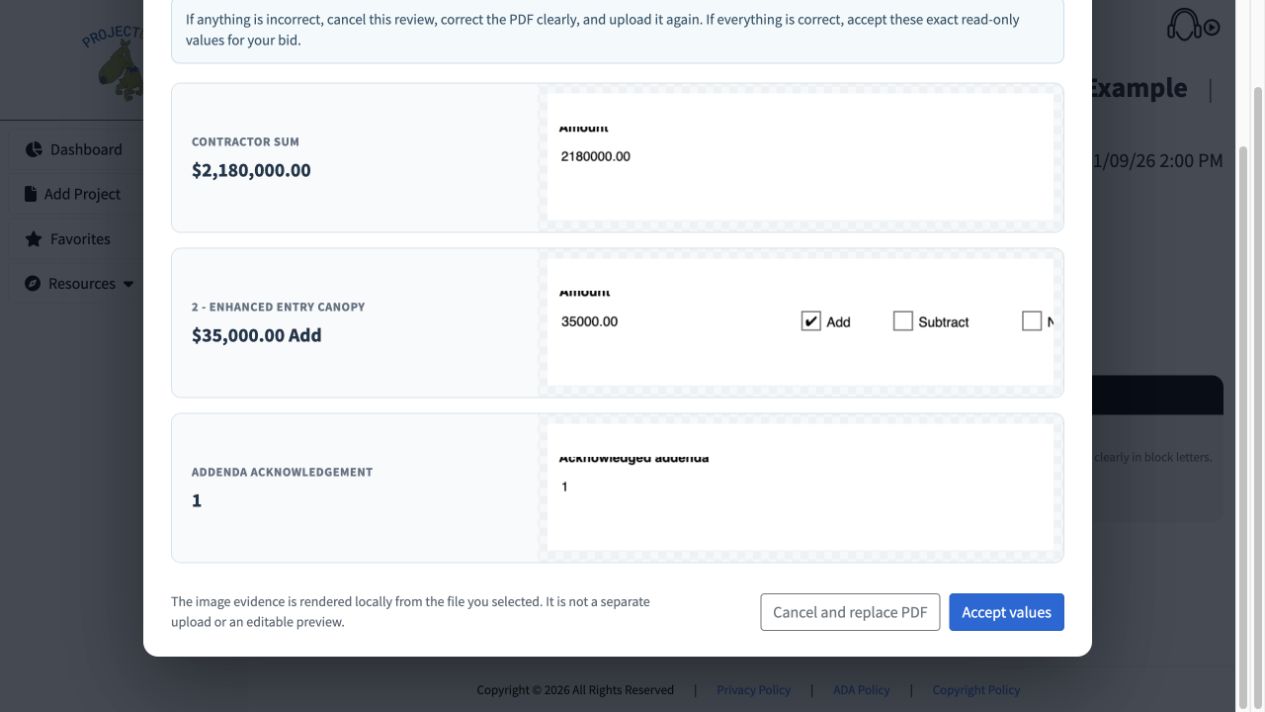
Compare before accepting
Check the base amount, Add alternate and addendum acknowledgment against the evidence.
 View full-size screenshot ↗
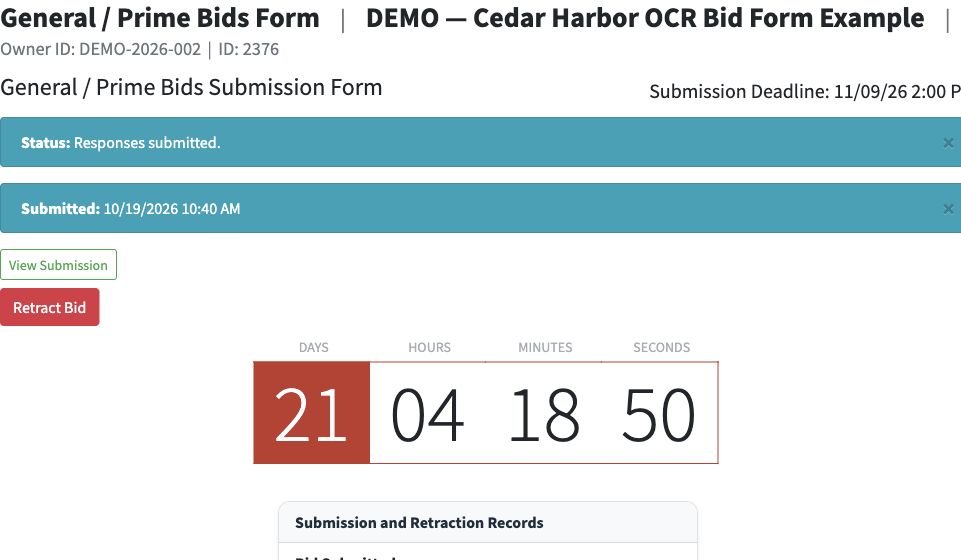
Complete final submission
The OCR response receives a submission timestamp after the separate Submit action.
 View full-size screenshot ↗
Actual application screens from synthetic Cedar Harbor demonstration projects.
Use the project’s Bid Form
Download the active coded OCR Bid Form published for the applicable module. Complete that form clearly; an unrelated PDF cannot replace the project’s coded form.
Compare values with the evidence
Upload the completed PDF. The review shows recognized amounts, alternate choices and addendum acknowledgments beside image evidence from your file.
Correct the PDF when needed
Recognized values are read-only in the review. If a value is wrong, cancel, correct the source PDF and upload it again. Accept only values you have checked.
Submit after accepting
Accepting the OCR values is separate from final submission. Add any remaining required material and finish the Submit action to receive the submission confirmation.
Your next steps
- Complete and upload the project’s coded PDF.
- Compare the recognized values with the evidence and accept or replace the PDF.
- Finish the required checks and submit.
Need help with a project?
Contact Projectdog for help with your account, project access or the submission workflow. Check the project’s published instructions and deadlines before submitting.
Contact Projectdog