

Bidders & Contractors
Prepare a Sub/Secondary Bid
Submit the amount, alternate and supporting documents requested for your trade category.
See it in action
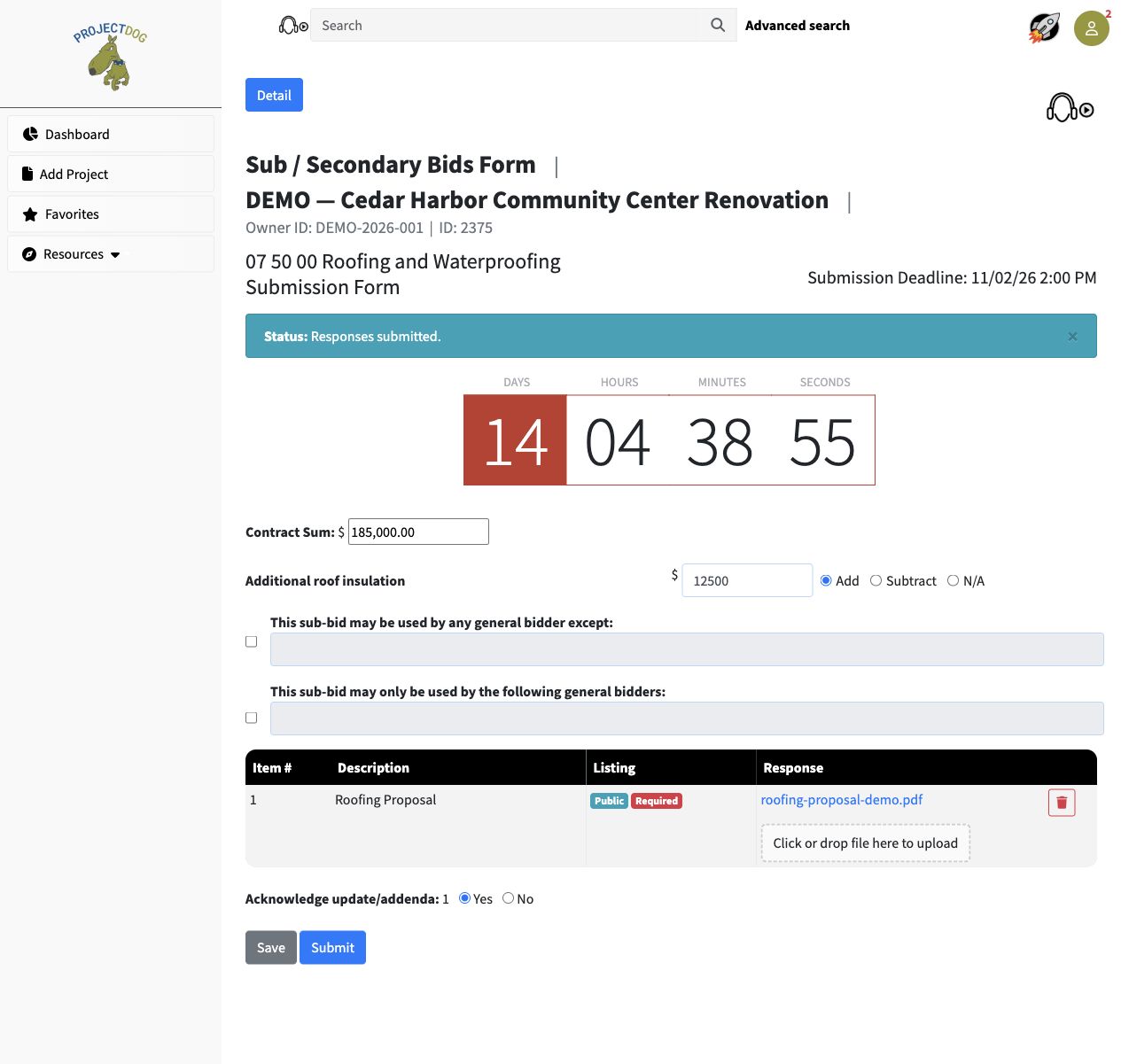
Prepare the trade response
The example includes a base bid, an Add alternate, a proposal upload and an addendum acknowledgment.
 View full-size screenshot ↗
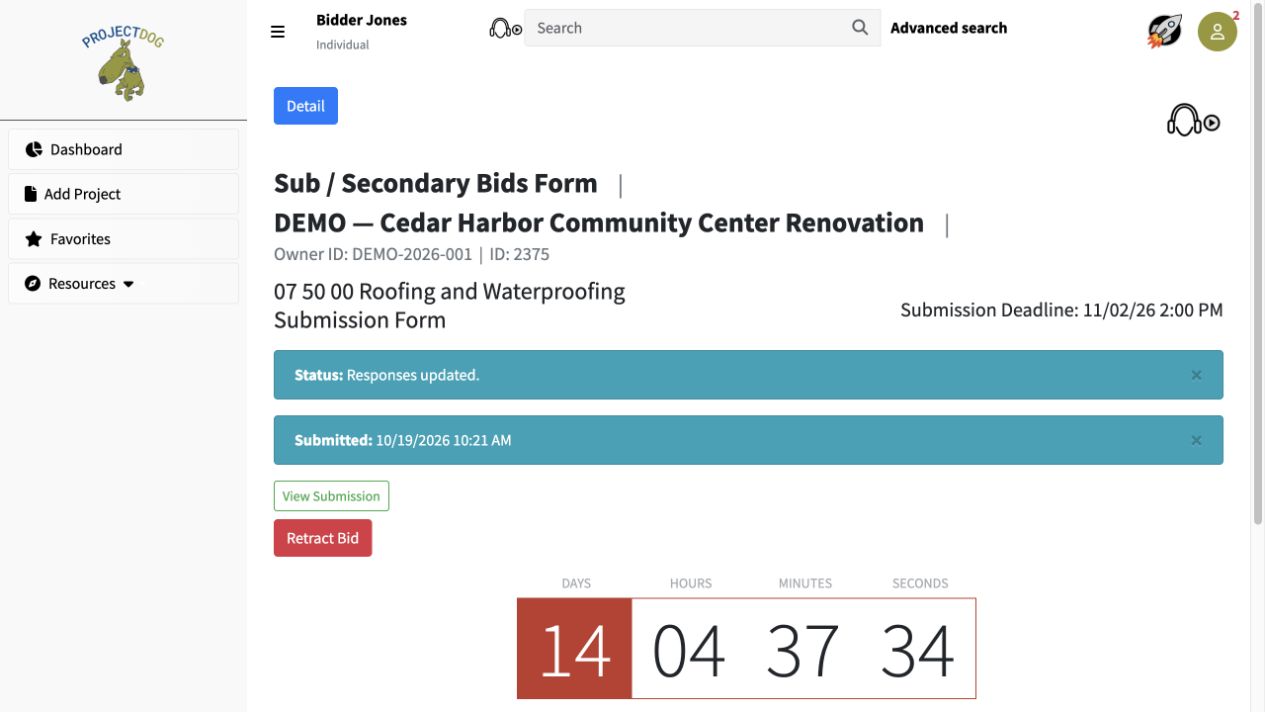
Check the submission record
The submitted trade response shows its timestamp and a View Submission link.
 View full-size screenshot ↗
Actual application screens from synthetic Cedar Harbor demonstration projects.
Read your category’s requirements
Check the trade description, submission deadline and requested files. Different categories can have different requirements and schedules.
Enter the required bid information
For On-Screen Entry, provide the contract sum and any alternates, including Add, Subtract or N/C where offered. Other projects may collect a file-only submission or use an OCR Bid Form.
Complete the supporting details
Attach the required proposal and supporting files. Answer applicable addendum acknowledgments. Where the process includes exclusions or restrictions on general-bid use, complete those fields as instructed.
Submit and check confirmation
Saving a draft gives you a place to prepare your response. Complete the separate Submit action and look for its recorded submission timestamp and View Submission link.
Your next steps
- Choose your trade category and prepare the requested information.
- Save your work, then review the amounts, files and acknowledgments.
- Submit before the deadline and retain the confirmation.
Need help with a project?
Contact Projectdog for help with your account, project access or the submission workflow. Check the project’s published instructions and deadlines before submitting.
Contact Projectdog