

Project Teams & Administrators
Publish documents and manage project updates
Give participants a reliable project location for the invitation, scope, supporting files and addenda.
See it in action
Manage the project’s document set
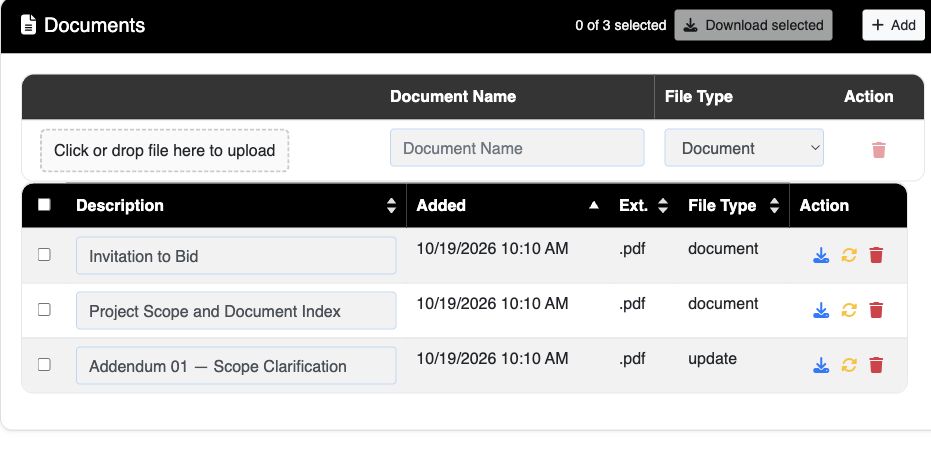
The example groups the invitation, project scope and addendum in one document list.
 View full-size screenshot ↗
Actual application screens from synthetic Cedar Harbor demonstration projects.
Organize the project files
Upload documents with clear names so participants can identify the invitation, scope and other materials. The document list gives the team a shared view of the published files.
Publish updates as the project changes
Add addenda and clarifications through the project workflow. Participants can find updates alongside the original project documents.
Connect updates with responses
Where acknowledgment is required, the response form asks participants to acknowledge applicable addenda. During addendum processing, response access may pause while the update is finalized.
Make downloading straightforward
Participants can select multiple documents and download them together. A clear document list reduces the need to distribute separate copies by email.
Your next steps
- Prepare clearly named project documents.
- Review and publish the files for participants.
- Add updates and confirm applicable acknowledgments as the project changes.
See this workflow for your project
Discuss your procurement process with Projectdog and request a demonstration of the configuration relevant to your project.
Request a demonstration