
Project Teams & Administrators
Collect Sub/Secondary Bids by category
Organize trade responses around the amounts, files and review steps your procurement needs.
See it in action
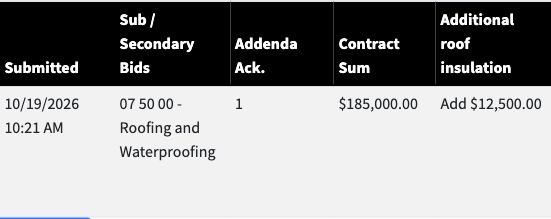
Compare received trade information
The example shows the submission time, roofing category, addendum acknowledgment, base bid and alternate.
 View full-size screenshot ↗
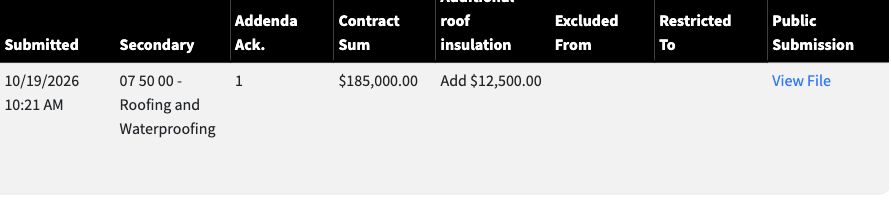
Publish the official result
The posted trade result provides the amount and public submission file for the next stage.
 View full-size screenshot ↗
Actual application screens from synthetic Cedar Harbor demonstration projects.
Define a consistent response
Work with Projectdog to prepare the category descriptions, schedules, required files and alternates. File-only, On-Screen Entry and OCR PDF Capture support different collection needs.
Separate independent and connected bids
Independent Submission keeps secondary and primary responses independent. Sub-Bid for GC Use makes approved official trade bids available for the later general-bid selection stage.
Review what was received
Received submissions can show the category, submission time, addendum acknowledgment, contract sum and alternates. Review the supporting documents and record the outcome.
Prepare the official stage
Where your process calls for official trade results, complete the review and posting steps. Eligible official results can then be used in a connected General/Prime Bid.
Your next steps
- Prepare each trade category’s requirements.
- Receive and review the submitted amounts and files.
- Complete the required review and official posting process.
See this workflow for your project
Discuss your procurement process with Projectdog and request a demonstration of the configuration relevant to your project.
Request a demonstration