
Project Teams & Administrators
Review submissions and publish official results
Move from received responses to the results participants are allowed to see.
See it in action
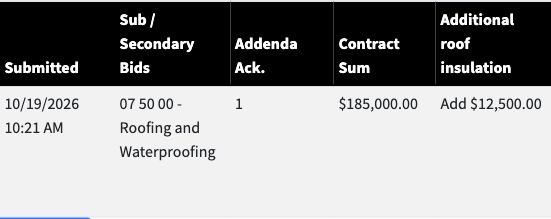
Review received amounts
The trade review shows the submitted amount and alternate alongside the category and acknowledgment.
 View full-size screenshot ↗
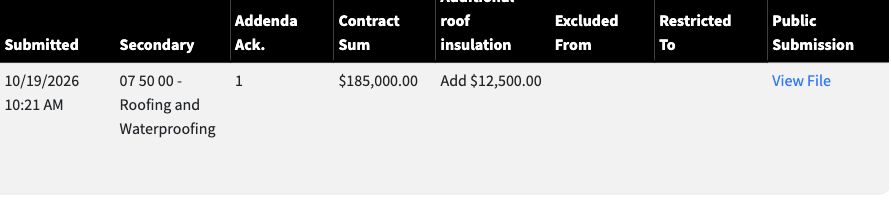
Release the official result
The official result provides the posted amount, alternate and public submission link.
 View full-size screenshot ↗
Actual application screens from synthetic Cedar Harbor demonstration projects.
Review received responses
Use the results workflow to inspect submission times, categories, amounts, alternates, acknowledgments and supporting files as applicable.
Record the review outcome
Approval and rejection belong to the project’s review process. Keep that decision connected to the response and its history.
Publish the official results
Official results are a separate stage from received responses. Post results according to the project’s process and access rules, including the public files participants may open.
Support the next procurement stage
With Sub-Bid for GC Use, eligible official secondary results become choices in the General/Prime Bid. The general response checks those selections again at final submission.
Your next steps
- Review the received amounts and supporting documents.
- Record the required review decisions.
- Post the official results for the applicable audience and next stage.
See this workflow for your project
Discuss your procurement process with Projectdog and request a demonstration of the configuration relevant to your project.
Request a demonstration