
Project Teams & Administrators
Answer questions in the project context
Manage participant questions and publish clarifications where the project team and Bidders can find them.
See it in action
Publish an answer participants can find
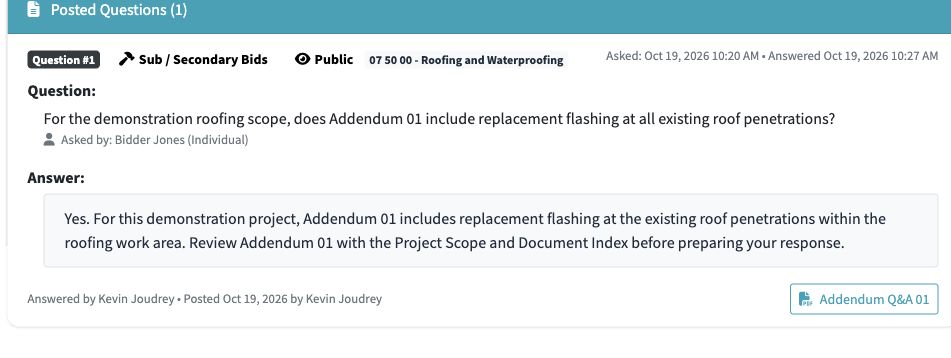
The roofing clarification is posted via addendum with a link to the Q&A document.
 View full-size screenshot ↗
Actual application screens from synthetic Cedar Harbor demonstration projects.
Enable the applicable Q&A stages
Set the question deadlines for the response modules that use online Q&A. A question deadline can come before the related submission deadline.
Review and answer the question
Read questions in their project context and prepare the answer. Keep wording clear about the relevant scope, document or requirement.
Publish a shared clarification
Posted questions and answers stay associated with the project. The published Q&A document gives participants another way to review the clarification.
Your next steps
- Set the applicable question deadlines.
- Review participant questions and prepare the answers.
- Publish and check the resulting project clarification.
See this workflow for your project
Discuss your procurement process with Projectdog and request a demonstration of the configuration relevant to your project.
Request a demonstration