
Project Teams & Administrators
Connect the people who administer the project
Give your Owner, Consultant and other Project Administrators a shared project workspace.
See it in action
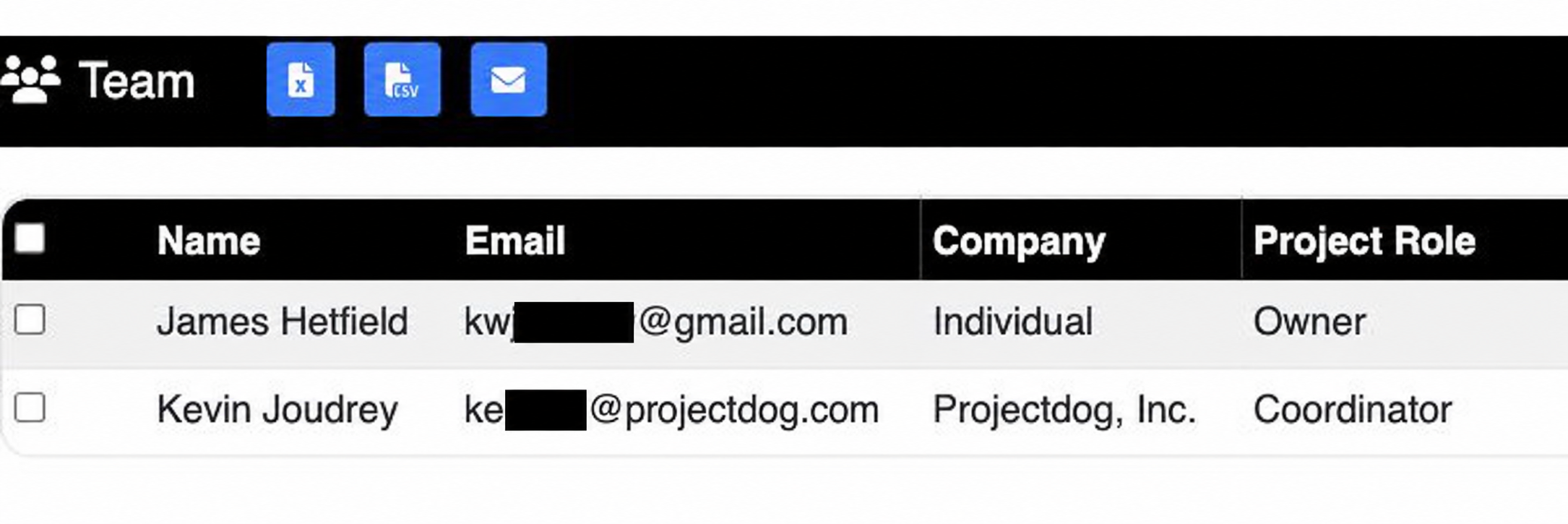
Review assigned project roles
The team list identifies the assigned Owner and Projectdog Coordinator.
 View full-size screenshot ↗
Actual application screens from synthetic Cedar Harbor demonstration projects.
Assign the client-side roles
Owner, Consultant and Other are Project Administrator roles. Assign the people who need to manage your project’s information and administration.
Keep the Coordinator connected
The Projectdog Coordinator supports the team through the project. This role is distinct from the client-side Project Administrator roles.
Maintain a useful team list
Review the assigned people, company information and project roles. Keeping the list current helps the team understand who is involved.
Work within the project’s stage
The actions available to Project Administrators depend on whether the project is being prepared, reviewed or posted. Work with Projectdog when a change requires additional support.
Your next steps
- Identify the people who need project administration access.
- Assign the appropriate Owner, Consultant or Other role.
- Review the team and Coordinator before posting.
See this workflow for your project
Discuss your procurement process with Projectdog and request a demonstration of the configuration relevant to your project.
Request a demonstration